

FadeList 3.0 launches November 9.
Plan ahead. Stay in today.
New in 3.0: Plan Ahead, to give a task its day before the day arrives, and Recurring Tasks, for the things that come back. Every morning still opens to just the day in front of you.
 Arrives as an update for iPhone, iPad, and Mac.
- Saturdaytoday
- Sunday
- Monday
- Tuesday
- Wednesday
- Thursday
- Friday
Plan Ahead
On Sunday night, give a task its day.
Open Plan Ahead from the drawer, pick a day, and add what belongs to it. Then put the phone down. Your main screen won't show those tasks until their day comes.
- Planning for tomorrow is free. Days further out come with FadeList+.
- Plan ahead is also there each morning, while you build your list.
Overnight, nothing piles up.
Build your list
On Monday morning, your plan is waiting.
When you build your list, the tasks you planned for today are already in it. Keep what still matters, add anything new, and tap Start my day.
Recurring Tasks
Some things come back on their own.
Tap the repeat icon on any task and choose when it comes back. On those days it's waiting in your list. Skip it and it leaves no trace: no count, no catch-up, no streak to protect.
Everything comes through New Day.
Nothing is added to today behind your back. Not a plan, not a recurring task. New Day is the only way in, and you open it.
Also in 3.0
- iPhone Duo support
- FadeList fits both screens and follows you between them as you fold, without losing your place. Folded, it's the day in front of you.
- Side panel on iPad and Mac
- On wider screens, the drawer becomes a quiet panel beside today: what's next, what's done, and what's ahead. One task on the left, the rest within reach.
- Dynamic Type support
- Every word now follows the text size you set on your device, from the smallest size up to the largest accessibility sizes.
- Smoother saving
- FadeList does less work in the background now. Reordering feels smoother, and an edit is kept even if you close the app straight away.
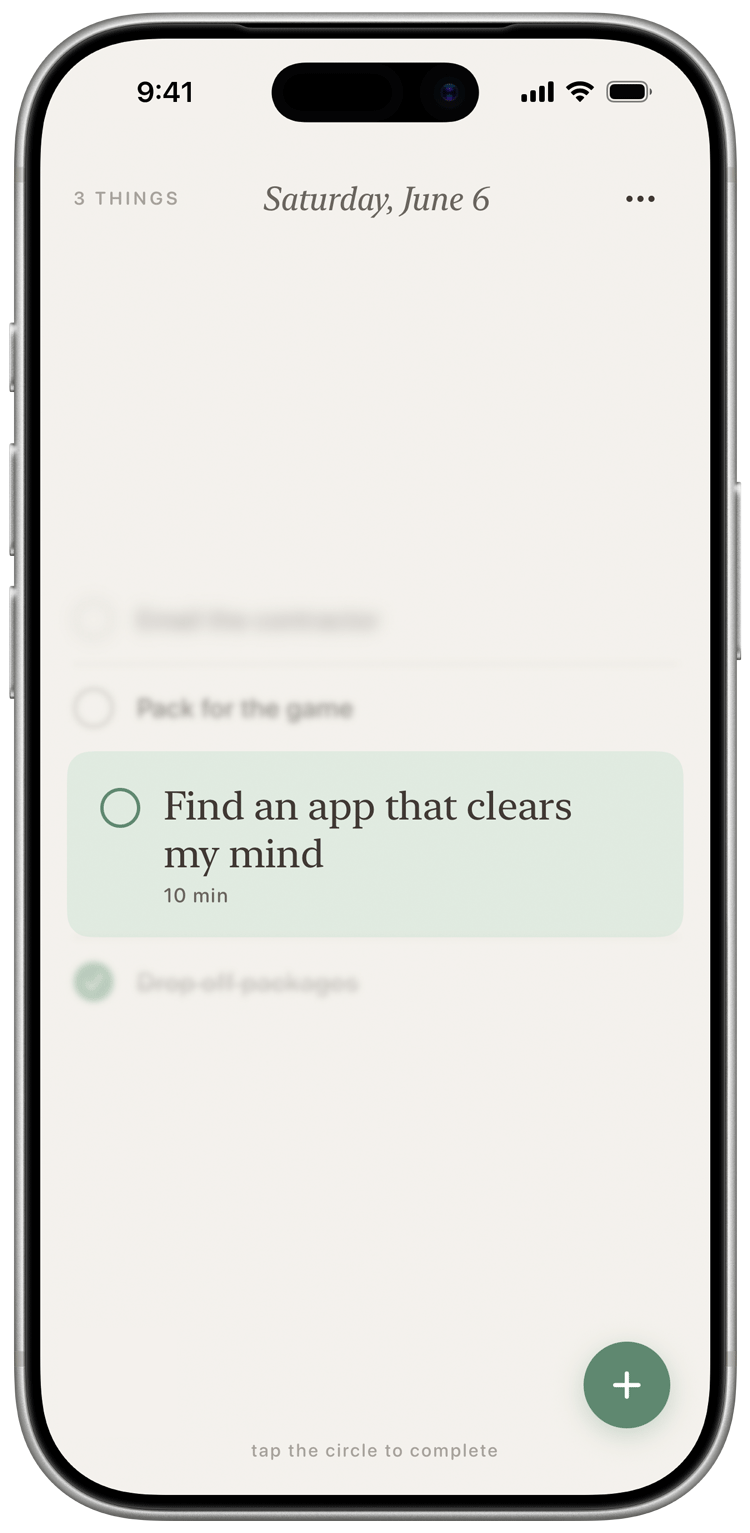
Your main screen hasn't changed.
Every change in 3.0 was held to one test: if it makes the main screen busier, it doesn't ship.
- One task in focus. Drag to see what's next and what's done.
- New Day is still yours. You review, you choose, you start.
- Today stays one list. The days ahead wait in Plan Ahead, out of sight.
- No due times, no red, no streaks. A task is never late.
Make room for the week. Keep today quiet.
FadeList 3.0 launches November 9, as an update for iPhone, iPad, and Mac.