
Focus on now.
Let the rest fade.
A quiet to-do list for the day in front of you. Write what matters this morning, finish what you can, and let yesterday's noise dissolve. No accounts. No tracking. Just the work.

Most to-do apps are built for everything. This one is built for today.
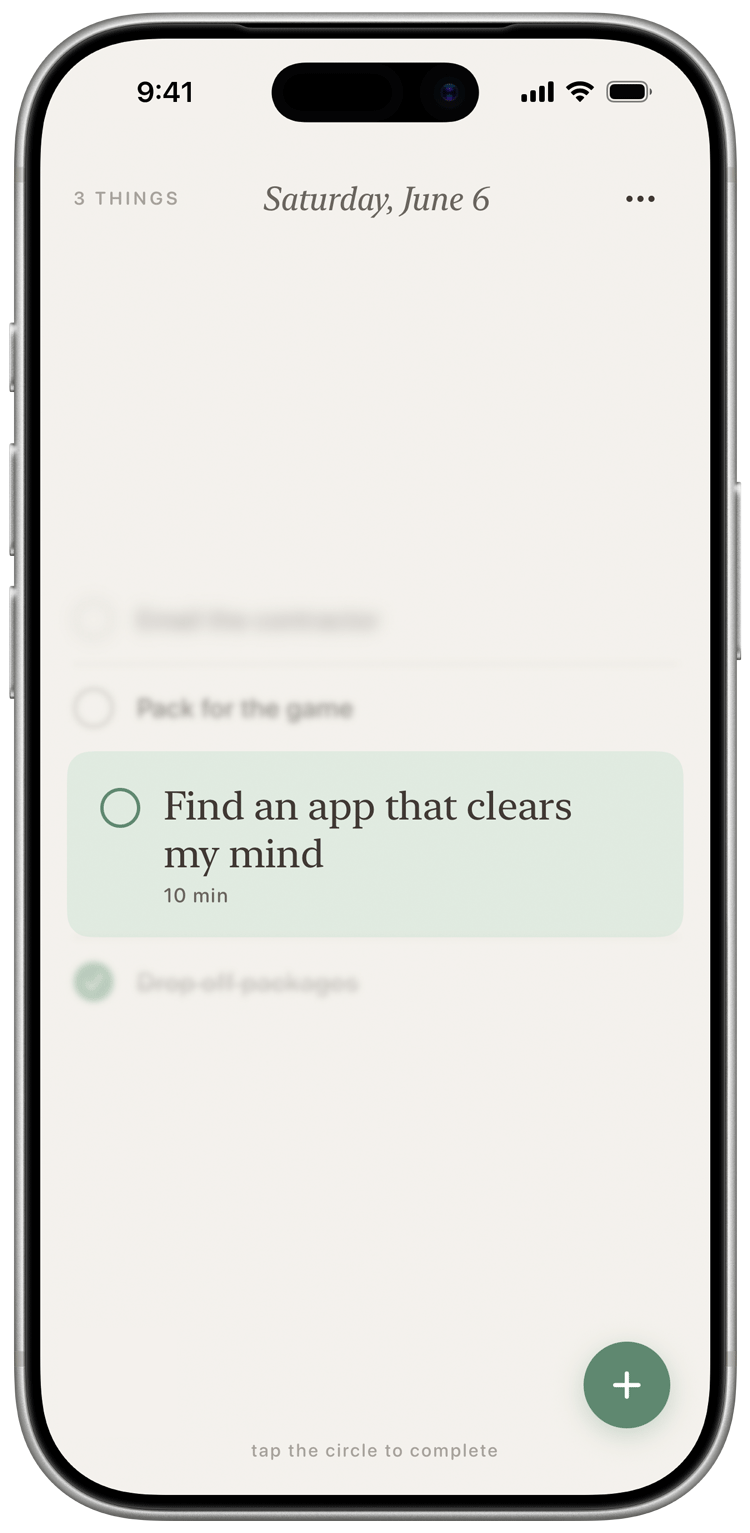
FadeList doesn't track projects, route work to your team, or surface what you didn't finish last March. It opens to a single, quiet page — the day in front of you.
One day at a time.
Each morning starts clean. Yesterday's leftovers don't pile up — they fade. You decide what to carry forward, on purpose.
One task at a time.
Set a soft time estimate. Watch the others soften as you focus. When you finish, the next task gently takes its place.
Quiet by design.
No streaks. No badges. No nudges. FadeList doesn't beg for your attention — it gets out of the way.
Yours, privately.
No account to make. No analytics. Your tasks live on your device and, if you want, in your personal iCloud. We can't read them, and we don't try.
Small surface. Considered details.
Soft time estimates
Tap a duration — 5 min, an hour, anything — to give a task a sense of weight. Optional. Always.
Home screen widget
A glance is enough. Your day's list sits on your home screen, one tap from the next thing.
Six gentle themes
Sage, Stone, Ocean, Clay, Dusk, Midnight. Pick a mood and the whole app — even your app icon — follows.
The fade
As you finish things, the rest of the list softens to keep your eye on what's left. A quiet kind of motivation.
iCloud sync, your way
Turn it on and your list moves with you across iPhone, iPad, and Mac. Turn it off and it never leaves the device.
Private by default
No accounts. No trackers. No analytics SDKs. The app is yours; the data is yours.
A mood for every kind of morning.
The colour you choose carries through the whole app — and, if you'd like, into your home screen icon. Tap one to try it here.
Free, forever, for the small list.
Unlock the rest with FadeList+ when you're ready.
- Up to five tasks a day
- All six themes
- iCloud sync
- Quick-add time estimates
- Unlimited tasks
- Custom app icons that match your theme
- Home screen widget
- Custom-duration time wheel
- 14-day free trial
Things people ask.
What makes FadeList different from other to-do apps?
Most to-do apps want to be your whole productivity system. FadeList is the opposite. It shows you only today, in a single calm view, and softens what's already done so your eye stays on what's next. There's no inbox, no projects, no backlog growing in the background.
Does FadeList work without an account?
Yes. There's no sign-up, no email, no password. The app opens straight to your list. If you turn on iCloud sync, your tasks move between your own devices — but they go through your personal Apple ID, not through us.
What data do you collect?
None. FadeList has no analytics, no third-party SDKs, no advertising identifiers, and no crash-reporting services. We don't see your tasks. We don't see when you use the app. Read the full privacy policy for the details.
What happens to tasks I don't finish?
They don't pile up. When a new day starts, FadeList asks gently whether anything is worth bringing forward — and lets the rest go. The point is to begin each day on purpose, not under the weight of yesterday.
Is FadeList good for ADHD?
A lot of early users say so. The single-day view, the soft time estimates, and the absence of streaks or guilt-trips can take pressure off. It isn't a medical tool, but it is designed to be quiet — which helps.
Can I cancel FadeList+ any time?
Yes. Subscriptions are managed by Apple in your App Store settings. Cancelling stops the next renewal; your premium features stay active through the end of the period you've paid for.
Is there an Android version?
Not today. FadeList is built natively for Apple devices: iPhone, iPad, and Mac, with iCloud sync and home-screen widgets. We may explore other platforms later, but only if we can keep the same feel.
A calmer day is one tap away.